







Contact us with email
support@naproxy.com






By NaProxy
2024-01-24 14:441. After clicking on the email to enter the dashboard, first create a sub-account (the username and password are a combination of letters and numbers).
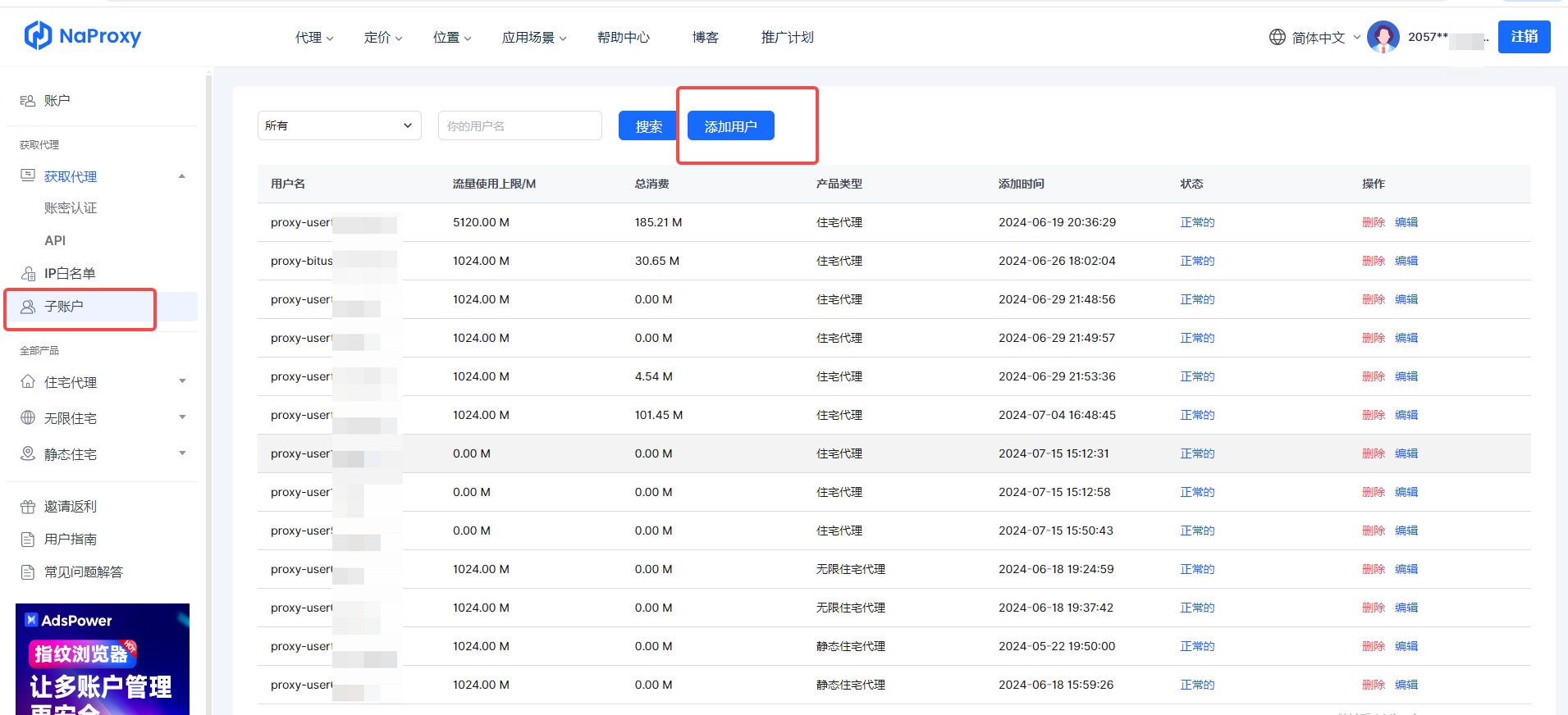
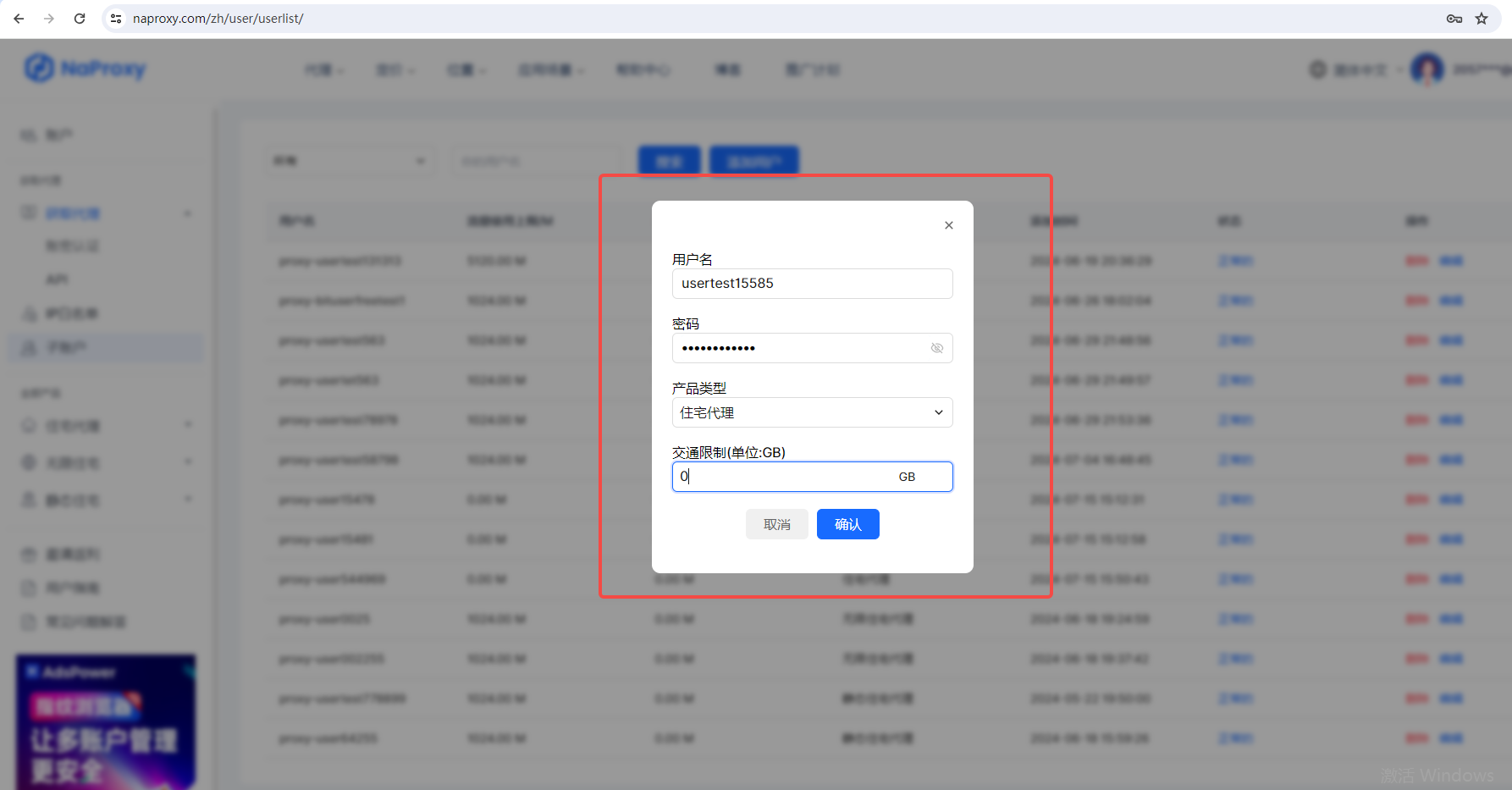
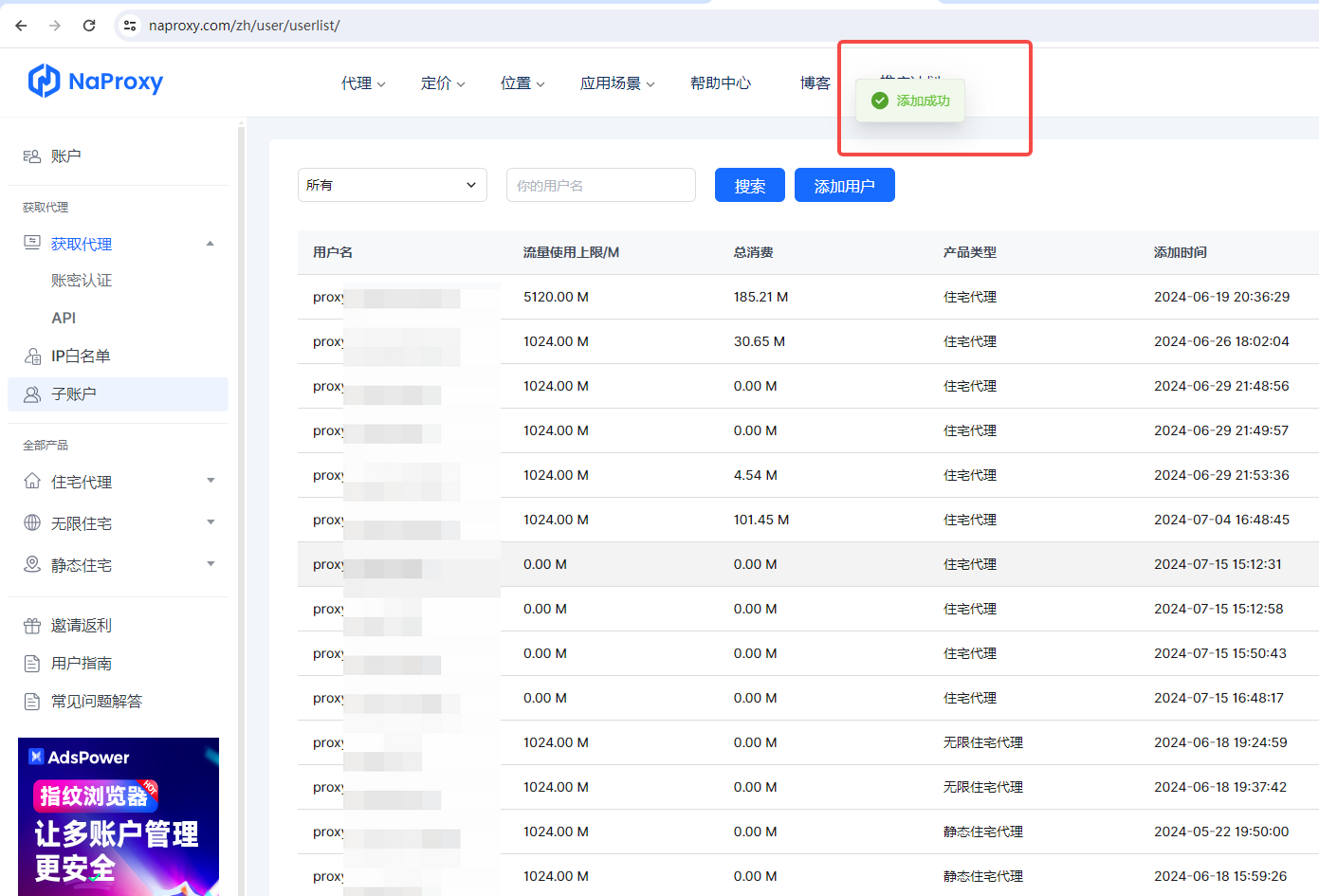
2. After the sub-account is successfully created, select "User & Pass Auth" under the "Get Proxy" list and fill in the IP you want to use.
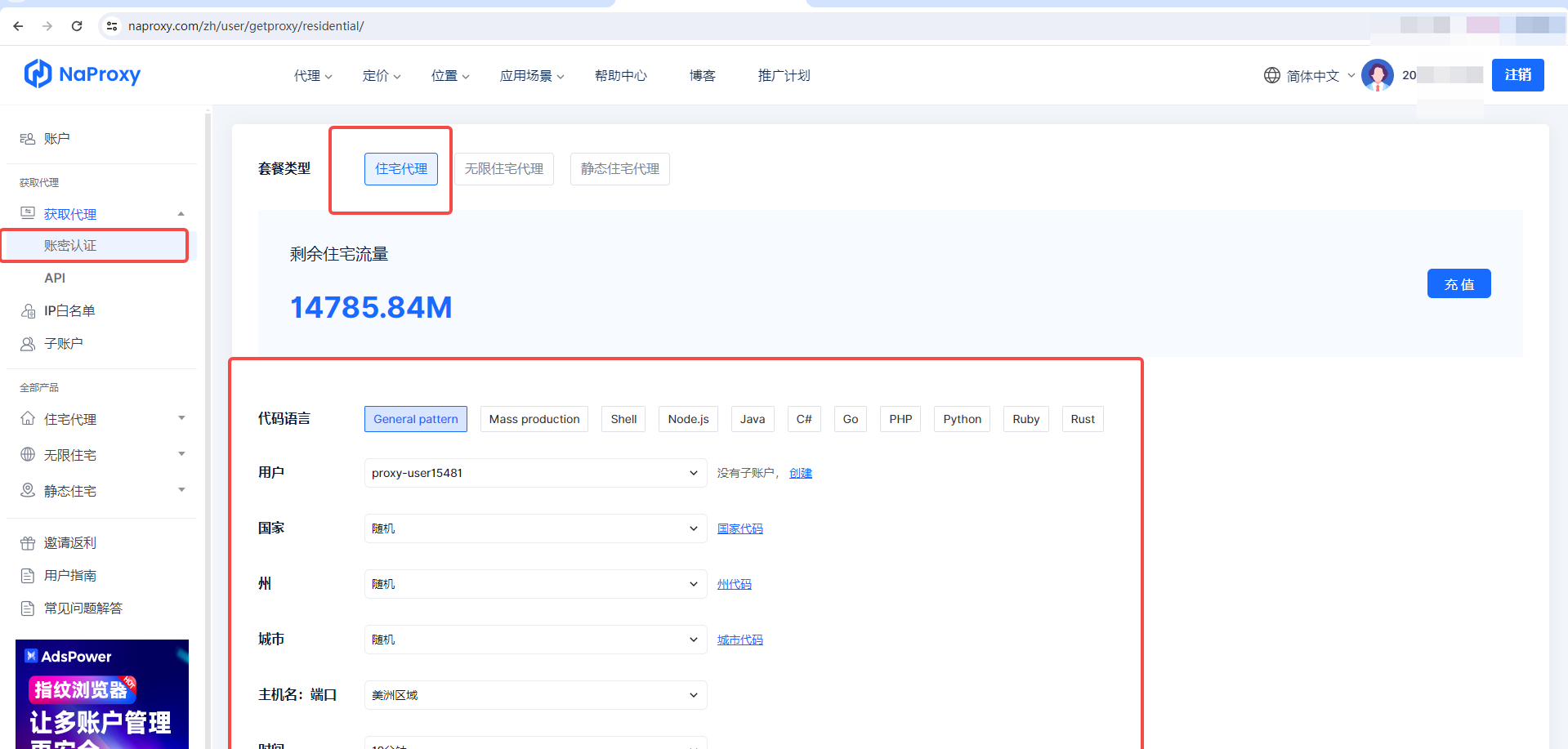
3. After filling in, select "Generate API links" and then "Copy API links".
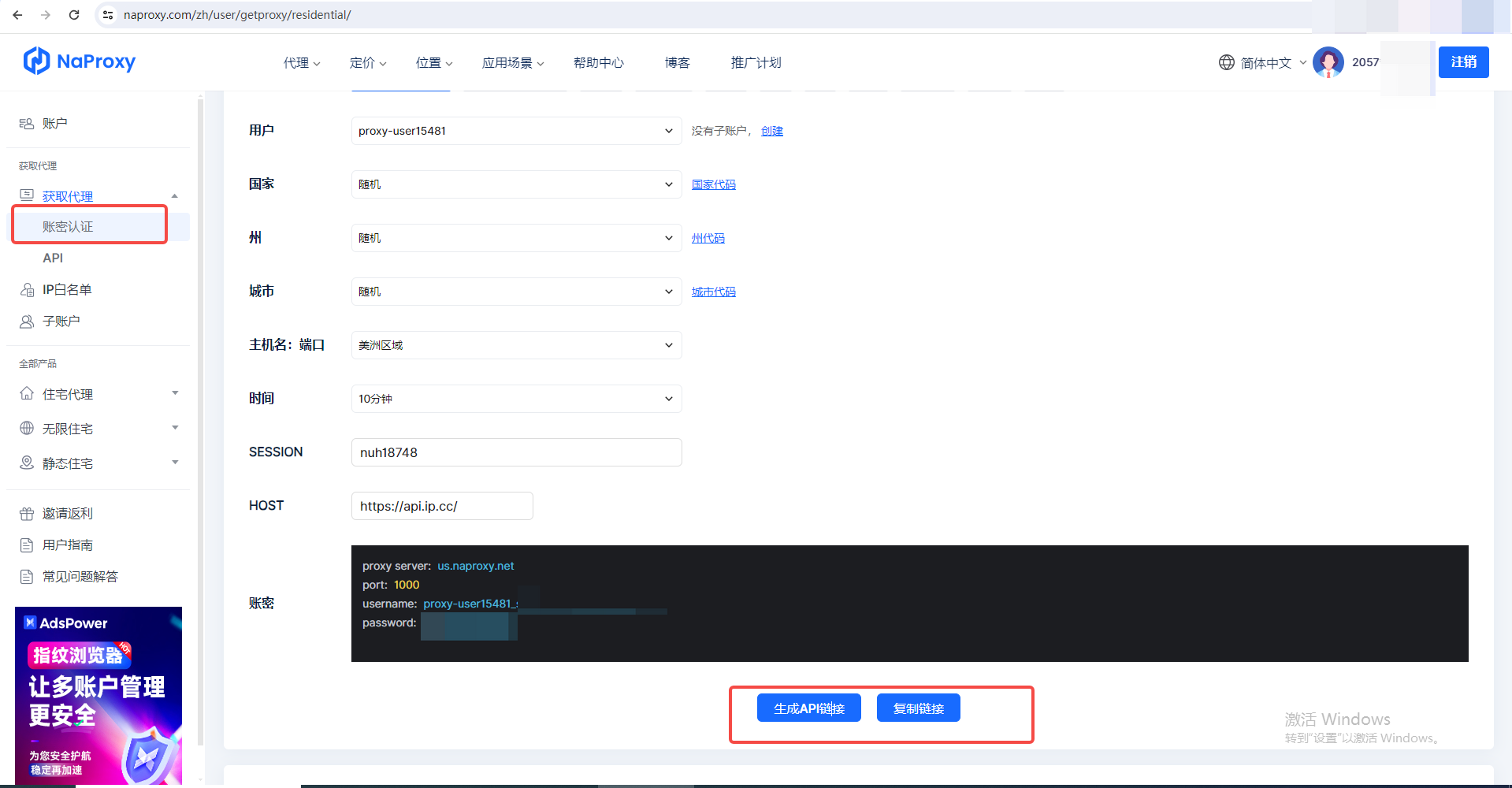
4. After obtaining the host, port, username and password, use the proxy where you want to use it.

With our robust data collection infrastructure, you can enjoy stable IP connections and reduced interruptions, ensuring smooth and efficient web crawling.


