







ईमेल द्वारा हमसे संपर्क करें
support@naproxy.com






By NaProxy
2024-01-24 14:441. After clicking on the email to enter the dashboard, first create a sub-account (the username and password are a combination of letters and numbers).
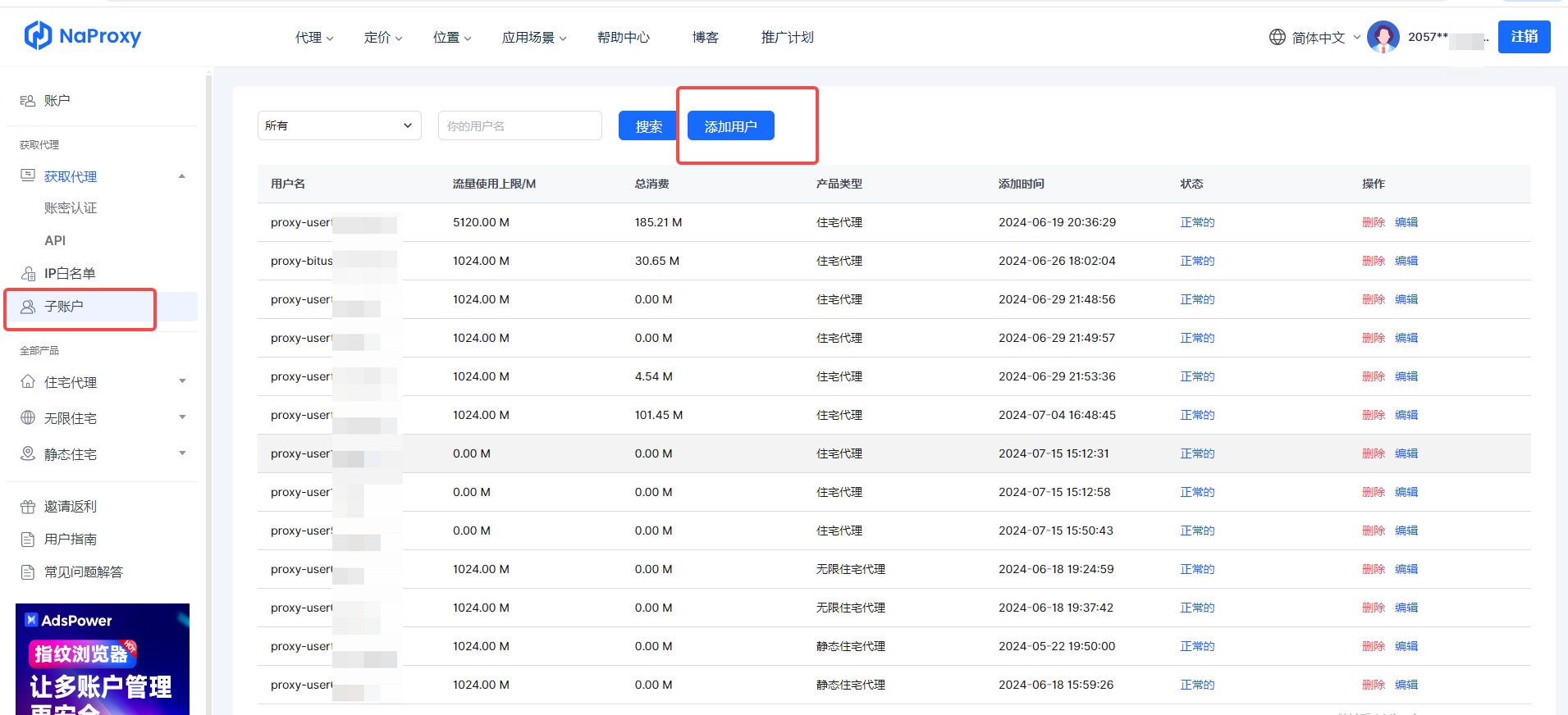
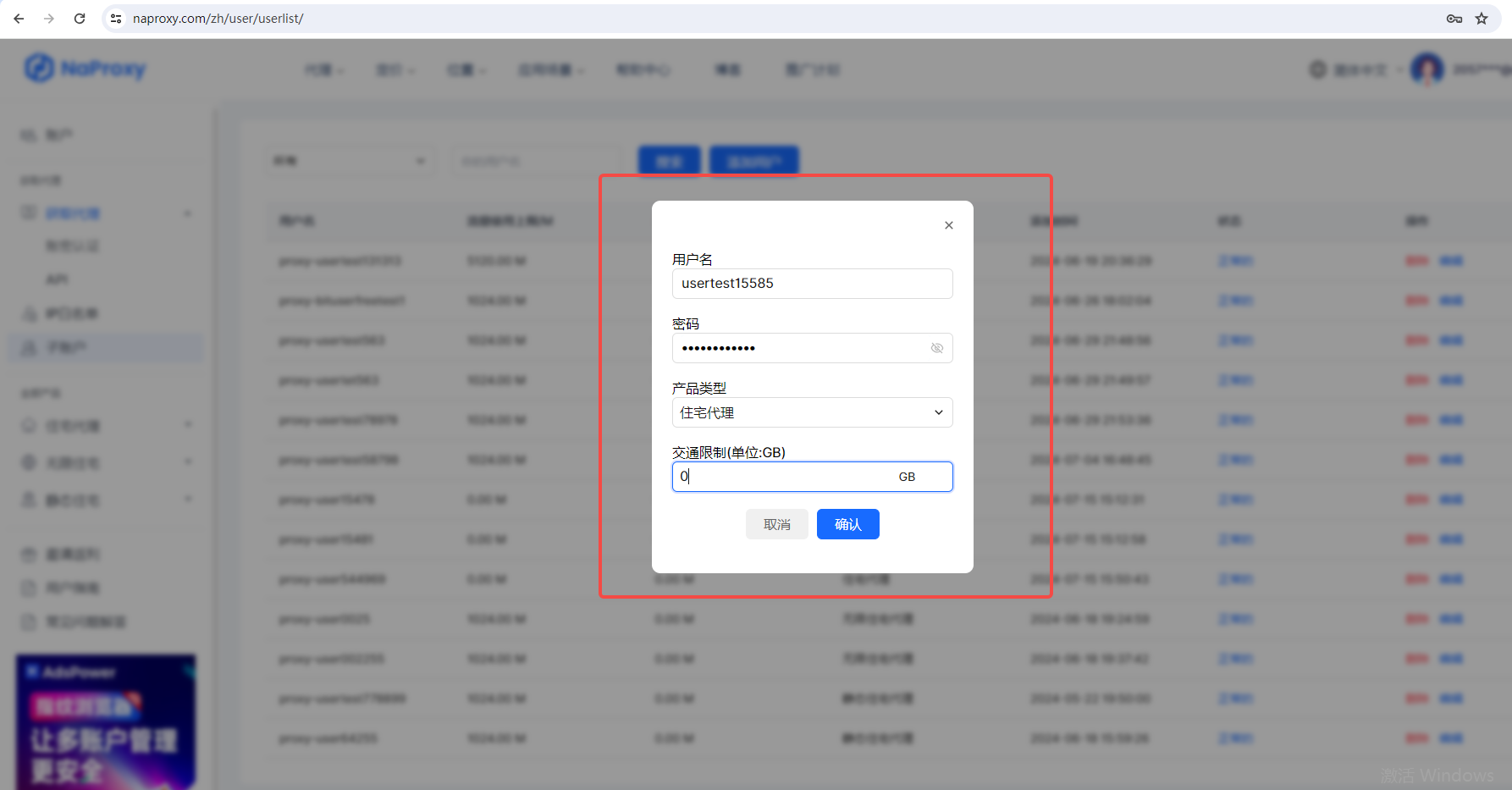
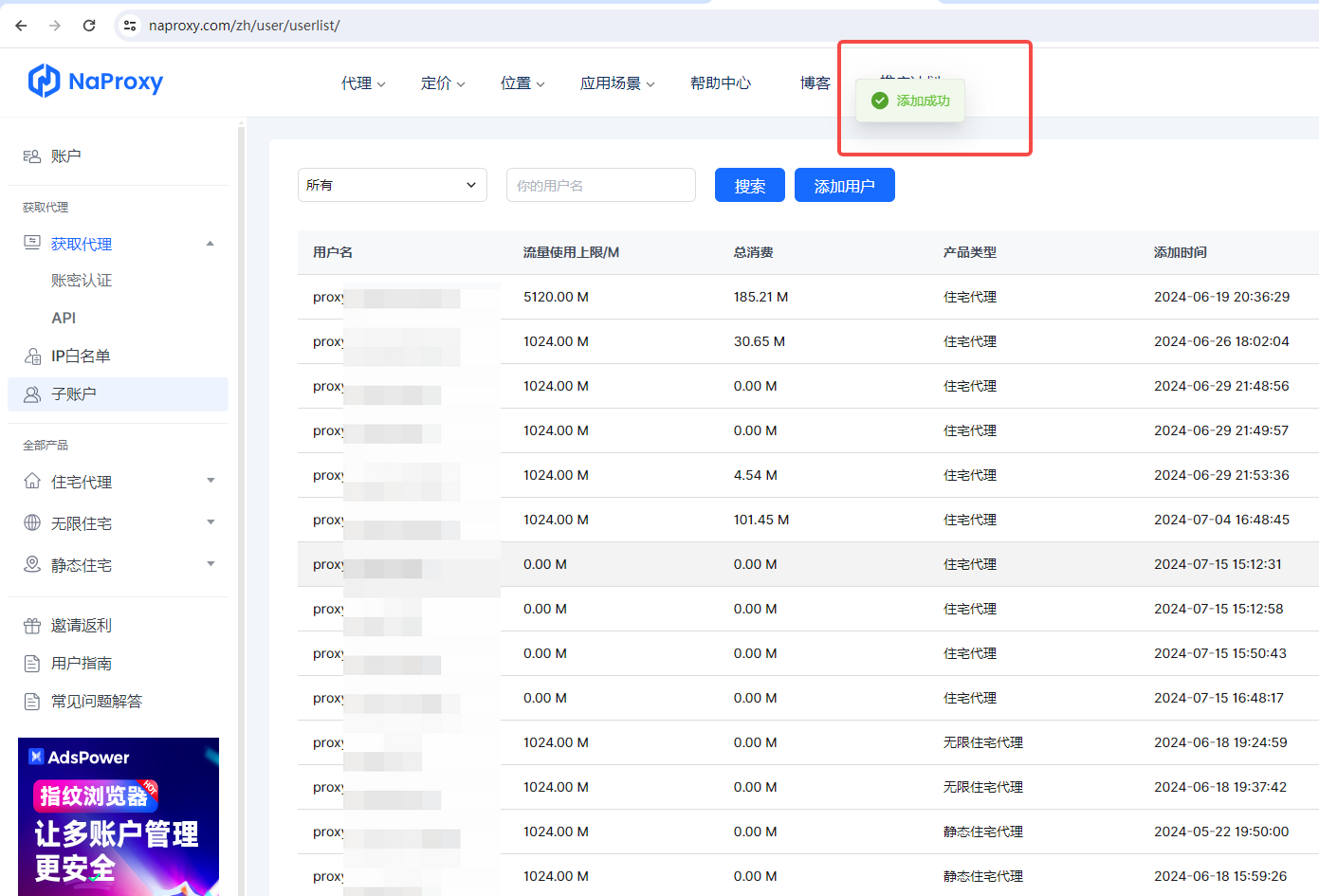
2. After the sub-account is successfully created, select "User & Pass Auth" under the "Get Proxy" list and fill in the IP you want to use.
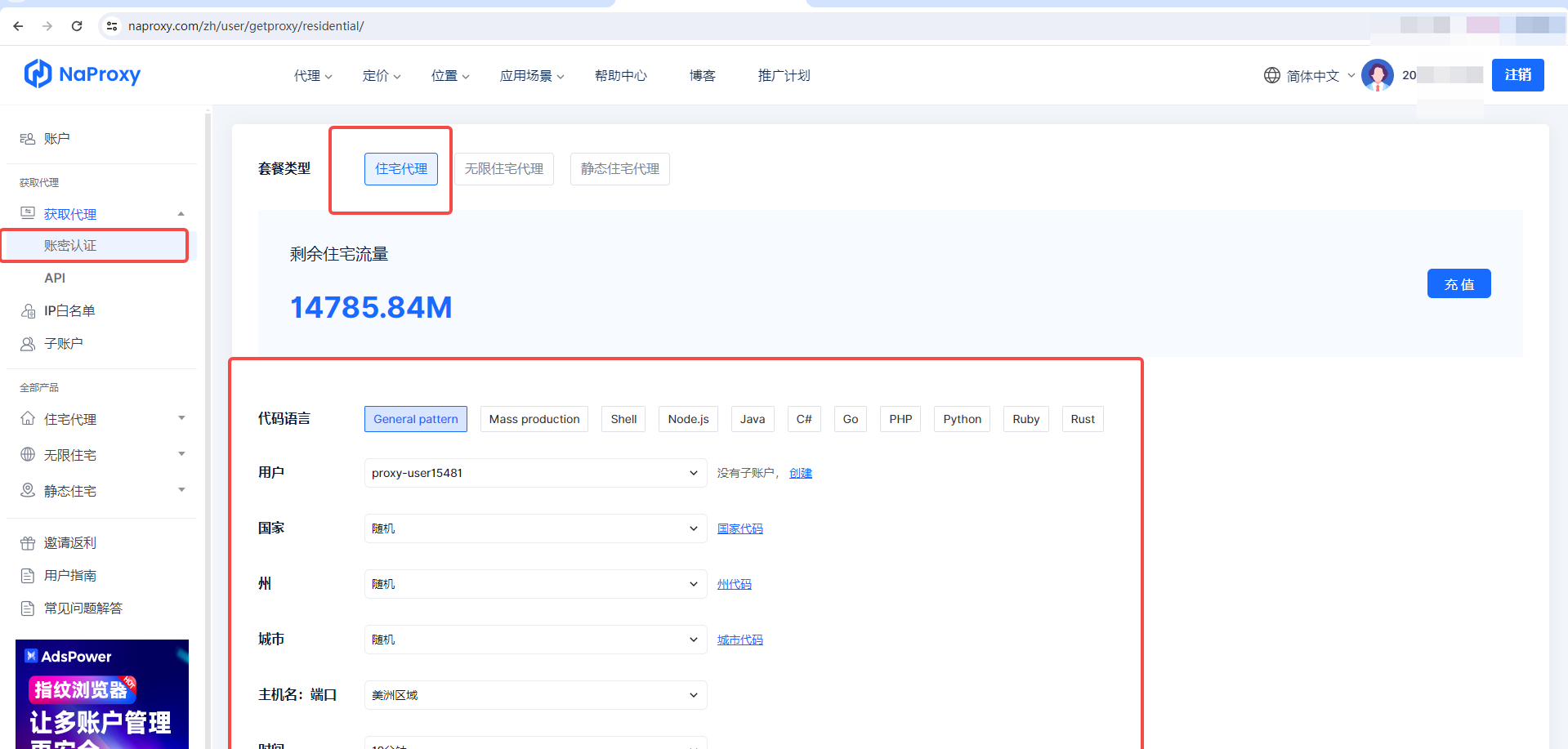
3. After filling in, select "Generate API links" and then "Copy API links".
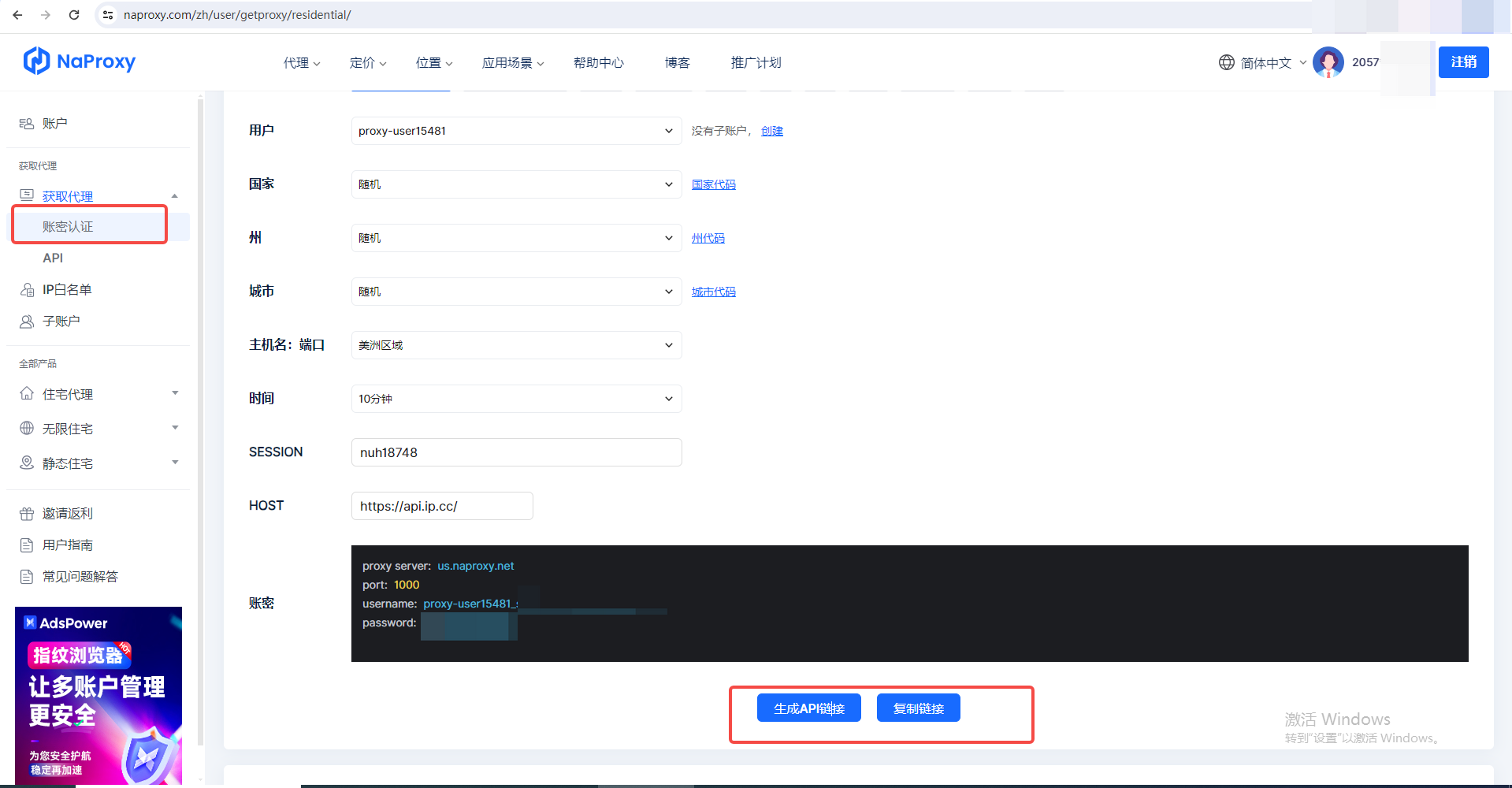
4. After obtaining the host, port, username and password, use the proxy where you want to use it.

हमारे डेटा संग्रह ढांचे के साथ, IP प्रतिबंध और CAPTCHA आपकी स्वतंत्र वेब क्रॉलिंग को सीमित नहीं करेंगे।


